EncorePad · For macOS 26 and later
Your app grid.
Back at your fingertips.
EncorePad brings back the familiar full-screen Mac app grid. Pinch to open, arrange apps into folders, and keep everything where you put it.
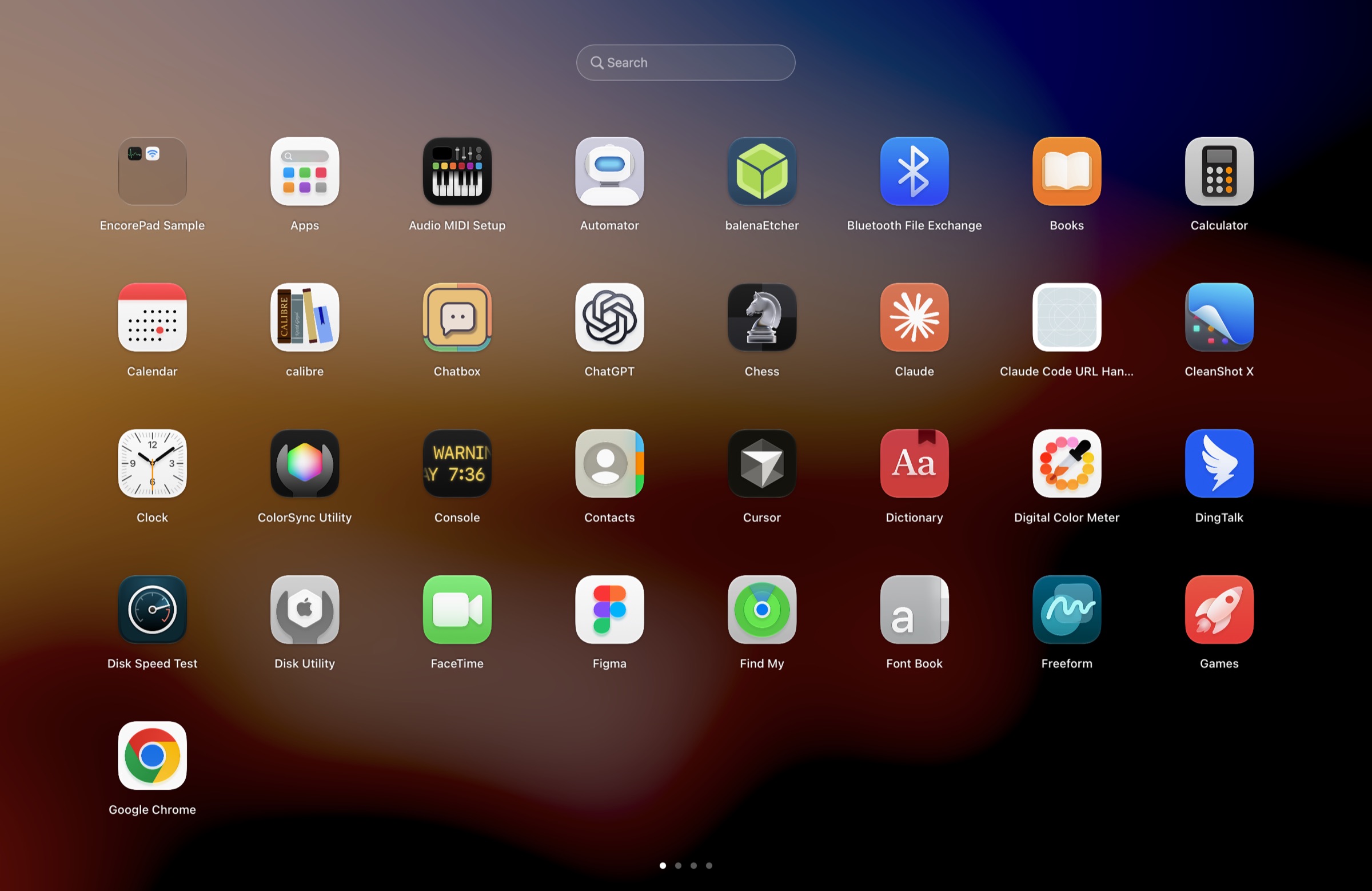
A familiar way to find your apps
- Moves with your fingers
- Pinch with four or five fingers to open. Spread to close. The animation follows your movement.
- Keyboard, mouse, or trackpad
- Use the Launchpad key, a custom shortcut, a hot corner, or the Dock icon.
- Arrange apps your way
- Drag apps, create folders, and hold Command to move several apps together.
- Search and navigate
- Type to search, use arrow keys to navigate, and press Return to open an app.
- Your layout stays yours
- Change the grid, hide names, or browse by name and date. Return to Custom to see your arrangement.
- Quiet updates
- Updates download in the background and install when the launcher is not in use. English and Simplified Chinese interfaces.
Try it first. Keep it for good.
After the 7-day trial, you can still open the grid from its icon, browse, search, and launch apps. Your layout stays in place.
One purchase includes every future EncorePad update. Future macOS compatibility depends on what the system allows.
| Macs | Price | Buy |
|---|---|---|
| 1 Mac | $4.99 | |
| 2 Macs | $8.99 | |
| 3 Macs | $11.99 |
Each Mac gets a separate license key. The price you see is the price you pay. Purchases are coming soon.
System requirements
macOS 26 or later. Current testing covers Apple silicon with the built-in trackpad and keyboard. Additional hardware is still being verified.
No usage tracking
Your app list, layout, and search text stay on your Mac. Network access supports licensing and updates.
Questions?
Write to support@tensorhunter.com. We reply within 2 business days.
EncorePad is not affiliated with Apple Inc.